
A television black screen is one of the most frustrating problems a TV owner can face. The audio might still work, the power light might glow steadily, but the picture itself simply refuses to appear. Before you assume the worst and start shopping for a replacement, it's worth knowing that a television black screen is often caused by something simple and fixable at home. This guide walks through the most common causes of a television black screen and gives you a clear, step-by-step path to getting your picture back.
Get the best Fix for Television Black Screen!
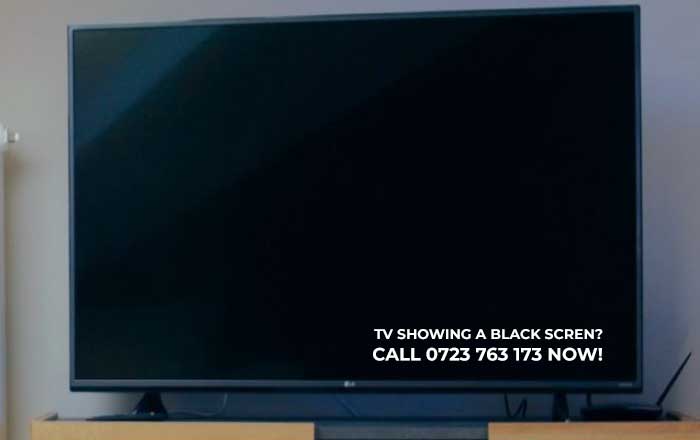
Common Causes of a Television Black Screen
There are several reasons your screen might go dark, and identifying the exact trigger of a television black screen early on saves you both time and money. Understanding the root cause of a television black screen helps you avoid wasting time on the wrong fix.
| Possible Cause | How Common | Difficulty to Fix |
|---|---|---|
| Loose or faulty HDMI cable | Very common | Easy |
| Wrong input source selected | Very common | Easy |
| Power supply board failure | Common | Difficult |
| Backlight or LED strip failure | Common | Moderate–Difficult |
| Software glitch or frozen firmware | Common | Easy |
| Main logic board damage | Less common | Difficult |
| Standby/sleep mode stuck | Common | Easy |
Step-by-Step Fixes for a Television Black Screen
Work through these steps in order — most causes of a television black screen are resolved within the first three steps.
- Check the power light. If it's blinking or off, the issue may be electrical rather than display-related.
- Confirm the input source. Press the "Source" or "Input" button and cycle through until you find the correct device.
- Inspect all cables. Unplug and firmly reconnect the HDMI, coaxial, or AV cables causing a television black screen on many older sets.
- Perform a power cycle. Unplug the TV for 60 seconds, then plug it back in. This clears temporary memory glitches that often cause a television black screen.
- Shine a flashlight at the screen. If you can faintly see a picture, the backlight has failed rather than the whole panel — a common cause of a television black screen in older LED models.
- Test with another device. Connect a different HDMI source to rule out the original device as the cause.
- Check for firmware updates. Some smart TVs develop a television black screen after a failed automatic update.
- Reset to factory settings as a last resort before contacting a technician.
When the Screen Flickers Before Going Black
If your television black screen appears only after a few seconds of picture, this usually points to a failing backlight inverter or capacitor issue on the power board — not a full panel failure. This is good news, since these components are relatively inexpensive to replace compared to the display panel itself.
Backlight vs. Panel Failure
Distinguishing between these two causes of a television black screen can save you significant repair costs:
- Backlight failure: Sound works, faint image visible with a flashlight, screen is warm near the edges.
- Panel failure: Sound works, no image at all even with a flashlight, sometimes visible lines or discoloration before failure.
- Power supply failure: TV won't turn on at all, or turns on and off repeatedly.
DIY Fixes vs. Professional Repair
For a television black screen caused by cables, inputs, or software, DIY troubleshooting is safe and free. However, once you suspect internal component failure, weigh your options carefully, since misdiagnosing a television black screen can lead to unnecessary spending:
| Repair Type | Estimated Cost | Recommended For |
|---|---|---|
| Cable/input troubleshooting | Free | Anyone |
| Power cycle/reset | Free | Anyone |
| Backlight strip replacement | $50–$150 | DIY with experience |
| Power board replacement | $80–$200 | DIY with experience |
| Full panel replacement | $200–$500+ | Professional only |
If your TV is still under warranty, a persistent television black screen should always be reported to the manufacturer before attempting internal repairs, as opening the case can void coverage.
Preventing Future Screen Problems
To reduce the chances of another television black screen down the road:
- Use a surge protector to guard against power spikes.
- Keep firmware updated but avoid interrupting updates mid-installation.
- Ensure proper ventilation around the TV to prevent overheating.
- Avoid leaving the TV in standby mode for extended periods without occasional full power cycles.
A television black screen feels alarming, but in most cases the fix is simple — a loose cable, wrong input, or a quick power cycle. Working through the troubleshooting steps above in order will resolve the vast majority of cases without any cost. If you've ruled out cables, inputs, and software, and you're still facing a television black screen, the issue likely lies in the backlight, power supply, or panel — and at that point, a professional repair technician can confirm the diagnosis and recommend whether repair or replacement makes the most financial sense for your specific model.
We Fix these television Brands
Find Television Spare Parts in Nairobi!
All Repairs and Services for Televisions in Nairobi
TV Repair Kenya is on Facebook