
Common Reasons a TV Won’t Turn On
A TV won’t turn on for all sorts of reasons, and most of them have nothing to do with a dead television. Before assuming the worst, it helps to understand what actually causes this problem and which fixes are worth trying first.
Power Supply Problems
The most frequent reason a TV won’t turn on is something as simple as a power issue. Loose cables, faulty wall outlets, or a tripped circuit breaker can all cut power to the set without any visible warning. If the standby light is off completely, the television isn’t getting electricity at all.
Surge protectors and power strips are common culprits too. Many of them have their own on/off switch or a reset button that gets bumped accidentally, leaving the TV with no power even though everything looks plugged in. Testing the outlet with another device is usually the fastest way to rule this out, since a TV won’t turn on if the socket itself has no power reaching it.
The Capacitor Issue
When a TV won’t turn on but the standby light blinks or flickers, a failing capacitor inside the power supply board is often to blame. Capacitors store and release electrical charge, and over time — especially with heat or power surges — they swell, leak, or stop holding charge. This is a very common fault in older plasma and LED models, and it’s one of the top reasons a TV won’t turn on even though the outlet and cables all check out fine. It typically requires a technician to replace the affected board.
Remote Control vs Actual Power Fault
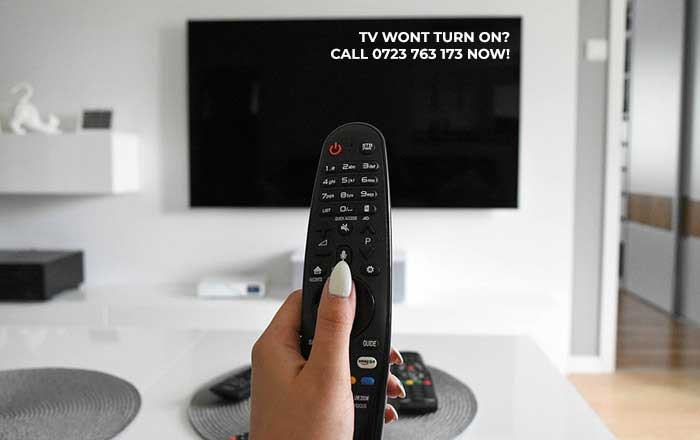
It’s worth separating two problems that look the same from the couch. Sometimes a TV won’t turn on because the remote has dead batteries or a faulty IR sensor, not because the television itself has failed. Pressing the physical power button on the TV itself (usually on the side or bottom bezel) helps confirm whether the fault lies with the remote or the set. If the set responds to the manual button but not the remote, the TV won’t turn on issue was never about the television at all.
| Symptom | Likely Cause | Quick Check |
|---|---|---|
| No light, no sound, nothing | Power supply / outlet | Plug another device into the same socket |
| Standby light blinks repeatedly | Faulty capacitor or power board | Listen for clicking sounds near the back panel |
| Physical button works, remote doesn’t | Remote or IR sensor fault | Replace batteries, try the manual button |
| TV turns on then shuts off instantly | Overheating or short circuit | Check ventilation and internal dust buildup |
| Backlight fault (screen black, sound plays) | Backlight or inverter board | Shine a torch close to the screen to check for a faint image |
Backlight Failure
This one confuses a lot of people, because the television actually powers on — you can hear the sound, the menu responds to the remote — but the screen stays completely black. In this case, the TV won’t turn on visually even though the internal electronics are working fine. A quick trick is to shine a flashlight close to the screen; if a faint image appears, the backlight or its inverter board has likely failed rather than the whole unit. This particular version of a TV won’t turn on is easy to misdiagnose, since everything except the picture seems to be working.
Overheating and Ventilation
Dust buildup inside the casing, especially around the vents, can cause a television to overheat and shut itself down as a protective measure. If a TV won’t turn on shortly after being switched off, or keeps turning off within seconds of powering up, heat is a strong suspect. Keeping the unit in a well-ventilated spot and cleaning the vents periodically prevents a lot of these failures before they start, and it’s a simple habit that keeps a TV won’t turn on situation from becoming a recurring one.
Firmware and Software Glitches
Smart TVs run on software just like a computer, and that software occasionally freezes. When a TV won’t turn on despite the power supply testing fine, a soft reset often resolves it. Unplugging the set for about 60 seconds allows residual capacitors to discharge and forces a clean restart, which clears most firmware-related freezes. This fix alone resolves a surprising number of cases where a TV won’t turn on for no obvious reason.
Main Board or Motherboard Failure
If none of the simpler causes apply, the main board itself may have failed. This is usually the most expensive fault to fix and often the reason a TV won’t turn on even after every basic troubleshooting step has been tried. Signs include a complete absence of standby lights, no clicking sounds, and no response to either the remote or the manual power button. At this stage, a TV won’t turn on no matter what combination of resets or cable swaps is attempted, and professional diagnosis becomes necessary.
Quick Checklist Before Calling a Technician
Running through a short checklist first can save the cost and wait of a technician visit when a TV won’t turn on for a minor, fixable reason.
- Confirm the wall outlet works with another appliance
- Check the power cable for visible damage
- Replace the remote batteries and try the manual power button
- Look for a blinking or flickering standby light
- Unplug the unit for 60 seconds and try again
- Check for excessive dust around the vents
- Shine a light close to the screen to rule out a backlight fault
I have a cracked TV screen, What do I do Next?
Working through these checks in order usually narrows down why a TV won’t turn on without needing to open the casing. Blinking standby lights, clicking sounds, or a set that shuts off within seconds all point to an internal fault best left to a technician. But for the majority of cases, a TV won’t turn on simply because of a loose cable, dead batteries, or a build-up of heat — all fixable without a single tool.
We Fix these television Brands
Find Television Spare Parts in Nairobi!
All Repairs and Services for Televisions in Nairobi
TV Repair Kenya is on Facebook